Find these elements in Library › Motion › Elements, section Kinetic text. Click a tile to add it at the playhead, or drag it onto the timeline. Select the item on the timeline to change its options in the Inspector. Kinetic text turns a word or a line into the animation itself. Several of these elements are built for Vietnamese: the split-flap board includes Vietnamese marks, search typing composes marks like an input method, and the odometer uses the Vietnamese number format by default.

Masked word reveal

Masked word reveal element
Words rise into view line by line from behind an invisible edge, keynote style, and sink back at the end. Key options in the Inspector:
  • Text: One line per text line (up to 6); *word* draws a word in the accent colour.
  • Cue by: Line = one cue per line, its words staggered; word = one cue per word (up to 24 words).
  • Direction: Up = words rise from below; down = they drop in from above.
Ready-made tiles in the Library: Keynote (word by word), Retro pop. When to use: Titles and key lines that should land with the voice-over.

Odometer counter

Odometer counter element
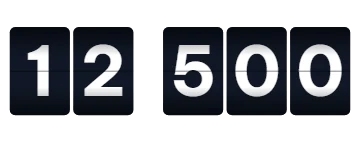
A number on mechanical digit wheels that roll, with carry, from one value to another at its cue, with a label under it. Key options in the Inspector:
  • From: Value the wheels show before the roll.
  • To: Value the wheels land on.
  • Style: Mechanical = dark digit windows with a seam; clean = digits only.
Ready-made tiles in the Library: 1,2 triệu lượt xem. When to use: View counts, follower milestones and prices that tick over.

Split-flap board

Split-flap board element
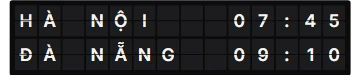
A departure board whose cells flip through letters and land on your text, row by row, Vietnamese marks included. Key options in the Inspector:
  • Text: Board text, one row per line (up to 3 rows of 16 characters).
  • Uppercase: Show the text in capitals, like a real board.
  • Flips: Characters a cell flips through before it lands.
Ready-made tiles in the Library: Departures. When to use: Destinations, announcements and retro reveals.

Text on a path

Text on a path element
Text that runs along an arc, wave, circle or custom curve and writes itself in. Key options in the Inspector:
  • Path: Shape the text runs along; custom uses your own SVG path.
  • Curvature: How strongly arcs and waves bend.
  • Reveal: Glyphs = letters pop in along the path; slide = the text slides into place; draw = the path draws on and letters fade in behind it.
Ready-made tiles in the Library: Circle badge, Smile. When to use: Badges, stamps and playful titles.

Metallic shimmer text

Metallic shimmer text element
Gold, silver or chrome text with a bright shine sweeping across it in a seamless loop. Key options in the Inspector:
  • Finish: Metal look; custom uses your own base and shine colours.
  • Sweep sec: Seconds the shine takes to cross the text.
  • Period sec: Seconds from one shine to the next.
Ready-made tiles in the Library: Silver. When to use: Premium titles, awards and luxury products.

Glitch text

Glitch text element
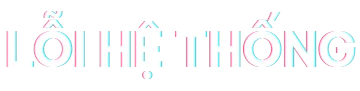
Text with an RGB colour split that tears into shifted bands in bursts; a cue can force one big burst. Key options in the Inspector:
  • Intensity: 0 = calm colour split only, 1 = strong tears.
  • Burst every sec: Seconds between glitch bursts.
  • Seed: Changes the glitch pattern.
Ready-made tiles in the Library: Subtle. When to use: Tech and gaming topics, or a “something broke” moment.

3D extruded text

3D extruded text element
Bold text with stacked 3D depth and a long shadow that swings and pops into place. Key options in the Inspector:
  • Depth: Number of depth layers.
  • Angle: Direction of the depth, in degrees clockwise from up (90 = right).
  • Shadow: A soft long shadow behind the depth.
Ready-made tiles in the Library: Keynote white, Retro pop. When to use: Bold hooks and thumbnail-style titles.

Search bar typing

Search bar typing element
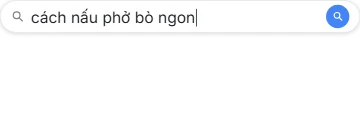
A search bar where a query is typed key by key, with Vietnamese marks composed like a keyboard input method, then suggestions and a submit. Key options in the Inspector:
  • Query: Text typed into the search bar, on one line.
  • Suggestions: Dropdown suggestions, one per line (up to 5); empty = no dropdown.
  • Compose marks: Type Vietnamese marks like an input method (o → ơ → ở).
Ready-made tiles in the Library: Dark, No suggestions. When to use: “Everyone is searching for…” hooks and how-to intros.